Setting Up#
Most of my time with Godot to date has been spent diving into the world of 3D game development. While I’ve enjoyed building complex environments and exploring three-dimensional mechanics, I felt it was time to broaden my skills by venturing into 2D game creation. That and Sand Stack is at the meaty end of development where no task takes less than a couple hours to solve, so I needed some side-hustle entertainment ^^.
So I decided to set a goal of recreating 20 classic 2D games using Godot as a learning tool. Kicking off this series with the timeless Pong, the game that proved two rectangles and a dot could monopolise arcade machines worldwide. Released by Atari in 1972, Pong is essentially digital table tennis for those who preferred pressing buttons over actual athleticism (I ain’t judging). Groundbreaking at the time gameplay of moving paddles to hit a pixelated ball quickly made it the poster child for “look how simple games can be,” kickstarting an industry.
Pong wasn’t exactly the first attempt at a paddle-and-ball game, but it was the one that convinced everyone that simplicity sells.
Really it’s the ‘Hello World’ of game dev… which I skipped :S
This isn’t going to be a bare bones tutorial, so if you don’t know how to setup a project in Godot I’d recommend starting with the Docs 😀
What are this#
First and foremost, I needed to refresh my memory on the core game play mechanics of Pong. Here’s what I had to replicate:
- Up and Down Control: Move the paddles vertically to keep the ball in play.
- Bouncing Logic: Ensure the ball reacts realistically when it hits paddles or walls.
- AI: Track the ball in a believably fallible way.
- Point Tracking: Keep score and reset when ball goes out of play.
The Arena#
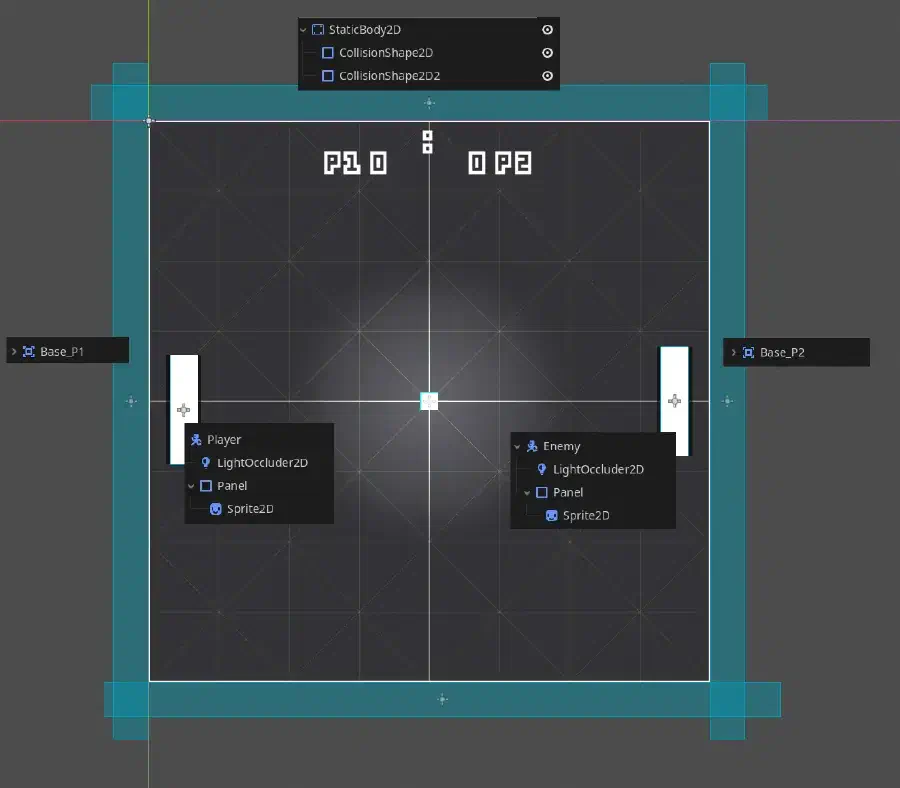
The arena itself is built using a TextureRect to serve as the main playfield, providing a clear and simple background for the game. Surrounding this central area left and right are Area nodes, which function as the base lines where points are scored when the ball crosses them.
Along the top and bottom edges of the arena, StaticBody nodes are placed to create solid boundaries that keep the ball within the play area and ensure it bounces back.
Artificial… intelligence?#
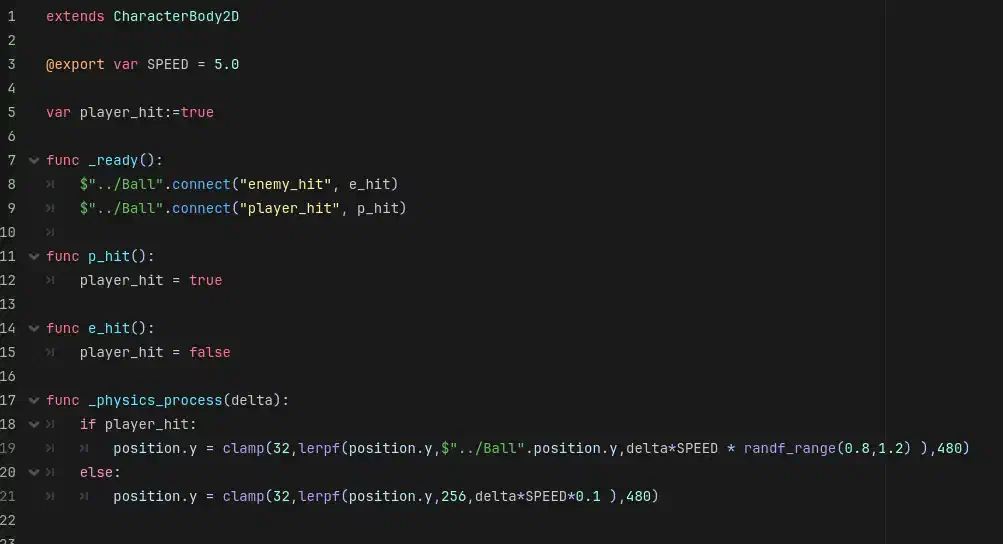
The ‘AI’ is incredibly basic, simply following the balls Y axis position with a variable speed and randomisation, then “idling” back into the middle position once a return has been struck.
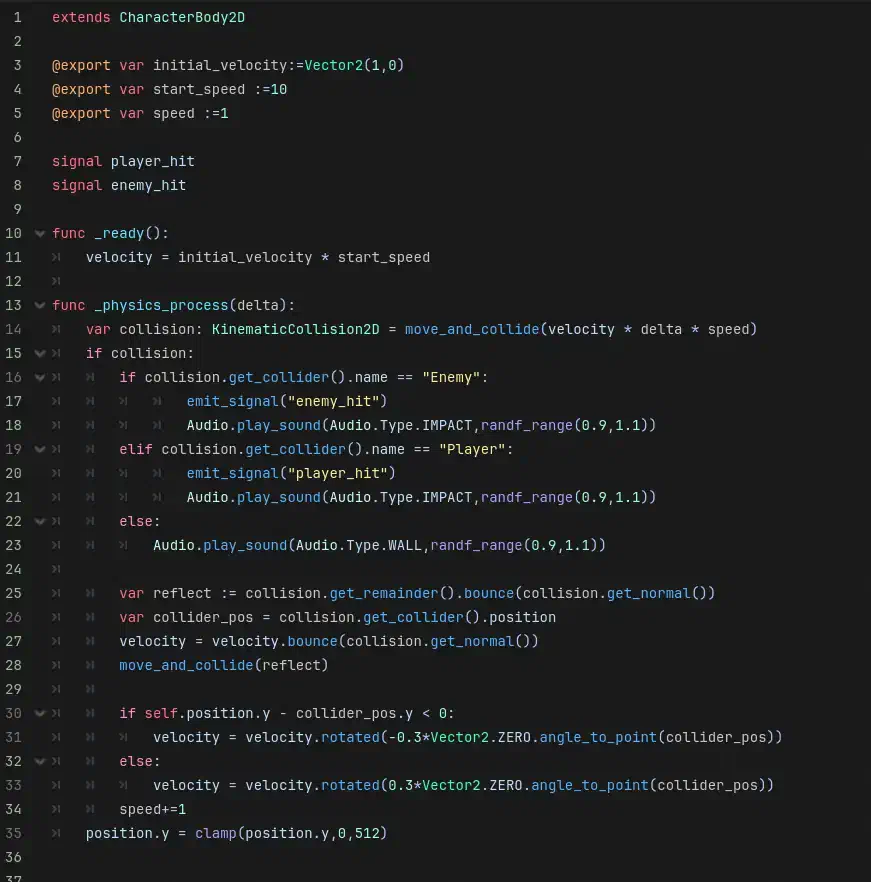
You will note in the Ball logic below how I am lazy, often hard coding references to nodes or checking for collider names rather than assigning to groups.
This is how you make a game in ~1 hour on your couch, not how you should work on a larger/serious project!
Also ‘Audio’ is a singleton of my own design for handling pools of sounds. I wrote this separately for SandStack so am not going into it here, but it does what it says on the tin (picks random sounds of a specific type from a pool, with variable pitch).
Go Play!#
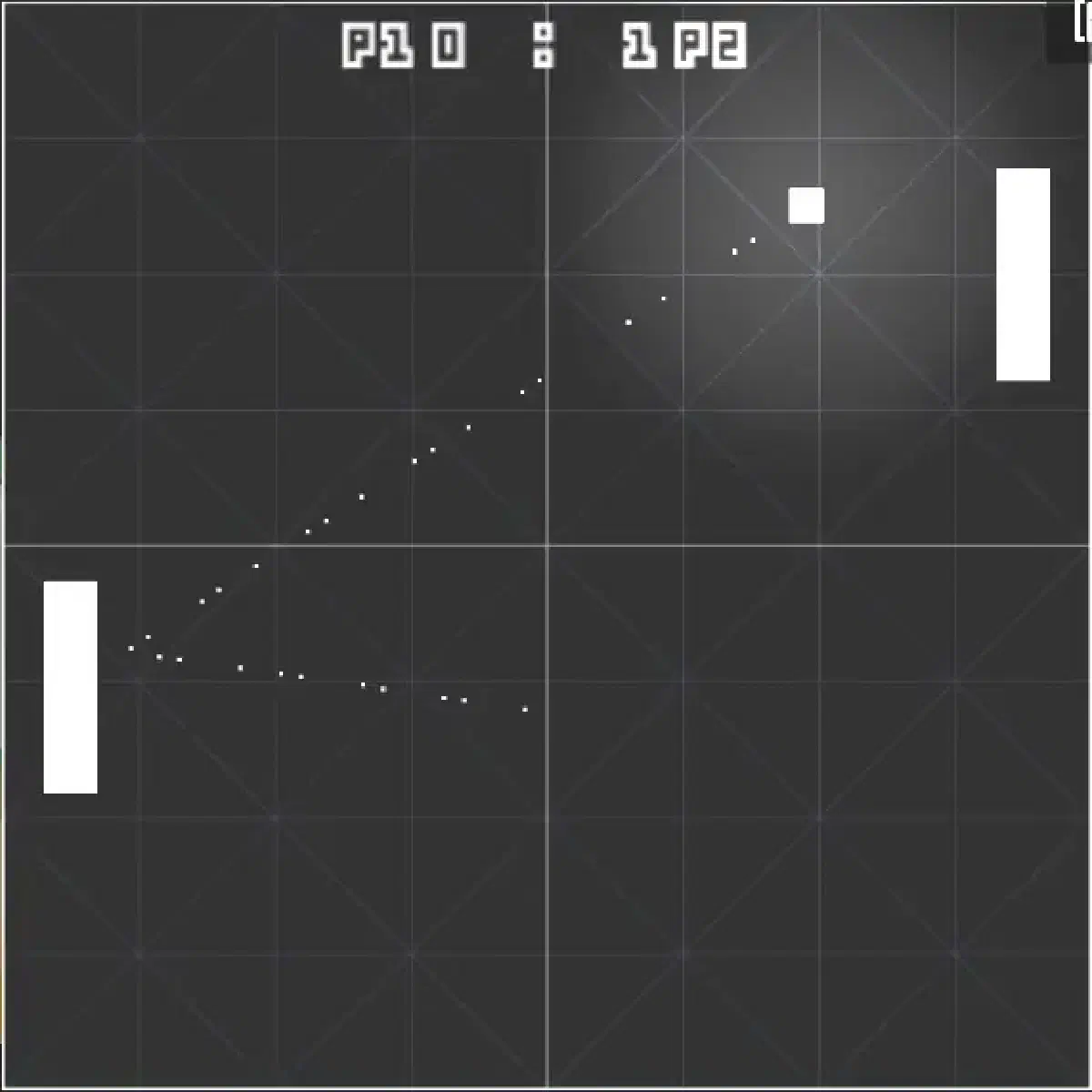
That’s basically it. There’s a few control elements to print the score, I added some particle trails and lights to spice it up and handling player code is almost literally the template code from CharacterBody2D.
If you’re an absolute beginner I recommend starting with Pong as it hits all the fundamentals, but as someone whose used Godot for ~3 years in a 3D context, I can’t say I learnt much for this one ^^.
Go play for yourself for free at: https://seemore.games/portfolios/20-games/
🦋 Follow me on BlueSky: https://bsky.app/profile/bimbam-tm.bsky.social
▶️ More on my Channel: youtube.com/c/BeauSeymour
Beau Seymour